Translate

10/30/2014

ESET ® Mobile Security for Android

프로모션.
http://www.eset.com/de/home/specials/mobile-security-android-ct/

사용법.
역시 독일, 오스트리아, 스위스 IP로만 진행되는 프로모션입니다.
반드시 VPN 을 이용하여 접속하여 License 를 획득할 수 있으며
사이트 언어를 독일어가 아닌 영어나 다른 언어로 변경시 프로모션 참여 불가능합니다.


Attention! Please use the Download only button on this page! Please note that the version on the Google Play Store with the promotional codes can not be activated.


1. Leave the settings in your smartphone under the menu item "Security", "installation of apps from unknown sources" to. For security reasons it is recommended that you disable this setting after step 3 of the installation. 
2nd Press the download button. 
3rd Install the software according to the instructions.

Activation of the Premium version

1. Fill the fields in the form below and click "Request Activation Code". 
2nd You will receive the activation code for your license. 
3rd Copy the code. 
4th Open the ESET Mobile Security, press the "Why Premium?" - Button and activate the application by entering the code and your email address. 
5th Confirm by clicking "Finish".
Only available for Germany, Switzerland and Austria.

10/29/2014

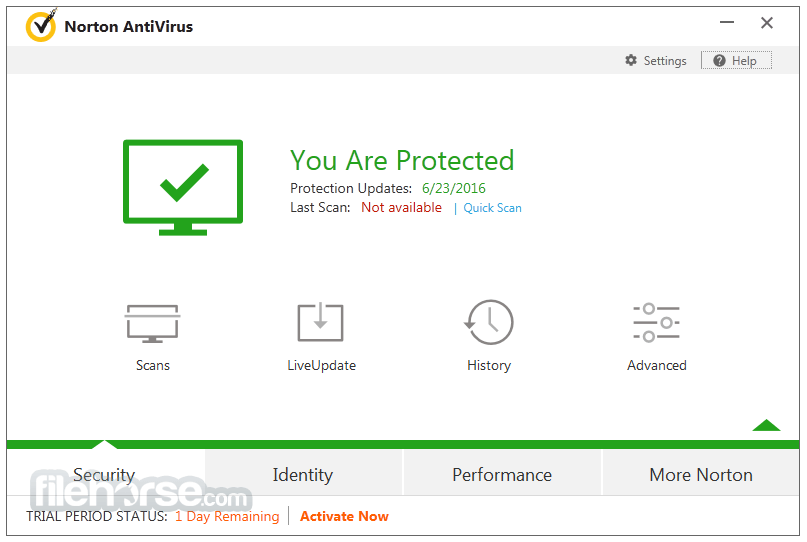
norton antivirus 2014

프로모션.
http://liveupdate.symantecliveupdate.com/upgrade/NSS/SymCCIS/Production/NPI/facebook/Setup.exe

온라인 자동인증 6개월 프로모션.


Rest easy with rock-solid Norton protection for all of your devices.

The PC on your desk. The smartphone in your hand. The tablet and Mac® in your bag. Yes, we cover them all.

Keep yourself and your devices safe with specialized protection.

Your devices are different. So is the protection we provide for each one you use. We can protect your PCs and Macs from online threats, while keeping your smartphones and tablets safe from loss and privacy concerns.

Enjoy peace of mind thanks to privacy protection for your devices.

Your privacy. Your contacts. Your messages. All safe and sound. 

Ensure your devices are always protected.

As the devices you use change, we stay nimble and flexible, letting you easily move protection from one to another. Get something new? You’ll be able protect that one too.

ESET NOD32 Antivirus 2014

프로모션.
http://www.eset.com/de/home/specials/ct_aktion_2014/


참여방법 : VPN을 이용하여 Germany, Switzerland and Austria 지역의 IP 로 접속해야 응모 가능.


MEHRFACH AUSGEZEICHNETE TECHNOLOGIE. SCHNELL. PRÄZISE.

Enjoy safer technology! NOD32 Antivirus schützt Sie beim Social Networking, Surfen im Internet oder Spielen.
  • Antivirus
  • Antispyware
  • Anti-Phising
  • Gamer-Modus
  • Social Media Scanner
  • Exploit-Blocker
  • Erweiterter Speicherscanner
  • Wechselmedienkontrolle
Video abspielen
Cover c´t Security
Willkommen bei ESET
Wir freuen uns, dass Sie sich für unsere ESET NOD32 Antivirus 7 interessieren. 
Ihre Lizenz für ein Jahr erhalten Sie in drei einfachen Schritten:
  1. Persönlichen Aktivierungscode abholen
    Füllen Sie die Felder des Formulars aus und bestätigen Sie mit "Aktivierungscode anfordern".
    Sie erhalten den Aktivierungscode für Ihre Lizenz. Kopieren oder notieren Sie den Code.
  2. Installieren Sie die Software
    Die Installationsprogramme für ESET NOD32 Antivirus 7 befinden sich unterhalb des Aktivierungscodes und können dort für Windows mit 32bit und 64bit herunterladen werden.  
  3. Aktivieren Sie Ihre ESET NOD32 Antivirus 7
    Wählen Sie Aktivierung mithilfe eines Aktivierungscodes uund klicken Sie auf weiter und folgen Sie den Anweisungen des Aktivierungsassistenten.
ENJOY SAFER TECHNOLOGY
Hinweise: Bei Fragen zur Installation und Aktivierung hilft Ihnen dieser Quickstartguide.
Only available for Germany, Switzerland and Austria.

IObit Halloween Giveaways

프로모션.
https://www.facebook.com/iobitsoft/app_381787825206176


Note:
1.Have to share the IObit page on Facebook publicly first and ad blockers/noscript/ghostery type browser addons will interfere with the page.
2.It works until 01,Nov,2014

IObit Malware Fighter 2 is an advanced malware & spyware removal utility that detects and removes the deepest infections. Malware Fighter has a enhanced real-time protection that protect your PC from various types of spyware, adware, trojans, keyloggers, bots, worms, hijackers, and other security-related risks.

IObit Driver Booster Pro can always be the first to identify outdated drivers, and download and install the most correct drivers for different PCs. All you need to do is just one click. It provides silent install mode, which makes the install of various drivers in background silently, and will not bother you with annoying pop-ups, or any kind of dialog boxes.

IObit Protected Folder is a folder/file locker that is designed to password-protect your folders and files from being seen, read or modified in Windows 8/Windows 7/Vista/XP and Server 2008/2003.
Works like a safety box, just drag and drop the folders or files you want to hide or protect into Protected Folder, then no one can see, read or modify them.
Protected Folder is an ideal tool for you whether you are concerned with privacy, data theft, data loss, or data leaks.

Note:
It is critical that you don’t forget your password, because IObit won’t store it and won’t be able to retrieve it for you.
 

10/28/2014

MiniTool Power Data Recovery

프로모션.

http://goo.gl/E5DwZM

MiniTool Power Data Recovery Software Giveaway
The newly-upgraded Power Data Recovery 6.8 is added with support for dozens of RAW file types including *.m4v, *.3g2, *.wtv, *.wrf, *.pps, *.dps and 4096-byte-sector-based hard drive. Unlike other data recovery software, MiniTool Power Data Recovery is an all in one data recovery software for home and business users. It can recover deleted data from the Windows Recycle Bin, restore lost data, even if the partition is formatted or deleted, restore data from a corrupted hard drive, virus infection, unexpected system shutdown or software failure. It supports IDE, SATA, SCSI, USB hard disk, memory card, USB flash drive, CD/DVD, Blue-Ray Disk and iPod. MiniTool Power Data Recovery contains five data recovery modules – Undelete Recovery, Damaged Partition Recovery, Lost Partition Recovery, Digital Media Recovery and CD & DVD Recovery. Each data recovery module focuses on a different data loss scenario.
User could equally recover data from partition disk with data recovery software, even if they perform fdisk. So many data recovery software exist on market, but here I would like to recommend user a latest data recovery software – Power Data Recovery which integrates green, concise and effective features. Power Data Recovery supports data recovery for files systems of FAT12, FAT16, FAT32 and NTFS; operating systems of win 2000, win 2003, win XP, win 7, win 2008, etc. Besides, Power Data Recovery, small in size and functional, is a purely green software developed by MiniTool solution Ltd.
FDISK hard disk partition is in essence to format hard drive. User have set all hard disk physical parameters as well as assigned saving location of MBR and DBR backup as we create partition. However, regarding to information needed by file systems and other operating systems to manage hard disk, it is realized later by high-level formatting, namely Format command. To put a parable, partition is compared to draw a large pane on a blank paper, formatting to add checks in this pane, and installation of various software to write letters in checks. Partition and formatting are just like laying foundation for installing software which in fact play a role of marking and locating disk data. After FDISK partitioning, it merely restructures FDT, MFT and disk data still exist and is recoverable. Therefore, we could utilize Power Data Recovery, a data recovery software developed by MiniTool Solution Ltd., to recover lost data.
Vendor: MiniTool
Product Page: Power Data Recovery
Giveaway By: DSG
Original price: $69

IM-Magic Partition Resizer Professional

프로모션.

http://www.giveawayoftheday.com/download/?id=56616


IM-Magic Partition pro Giveaway

IM-Magic Partition Resizer Professional Software Giveaway

Extend any partition without data loss? Download IM-Magic Partition Resizer Free, the free partition magic software to help expand, move, shrink, and merge partitions without destroying the data. It only requires a few clicks from you to command the program move the fences to rearrange the disk partition territory and keep your files untouched.
System partition is running out of space while there is large free space from other partitions? Try IM-Magic Partition Resizer Pro, the advanced resizing software that is 100% safe to change drive size from one partition to another without reinstalling OS; moving data from one partition to another; reformatting disk to repartition… Just try IM-Magic Partition Resizer Pro to resize disk partition without data loss.
C drive running out of space? IM-Magic Partition Resizer Free helps to increase the boot volume to save your system from reformatting disk, reinstalling operating system, moving data to other places. Resizing the system partition would be an easy job to perform even for tech naives. You may download this freeware to redistribute free space from other volume to system volume.
Shrinking drive size without losing data is possible with IM-Magic Partition Resizer Free. You may decrease a large volume which holds too much free space without formatting it. And redistribute the free space to other drives.
When your disk partitions are either running out of space or with a lot free space, you may use this freeware to re-arrange the fences for better computer performance.
By merging partitions, you may want to merge at least two volumes into one. IM-Magic Partition Resizer lets you do this merging partitions a safe way, by shrinking, moving and redistributing the free space.
With unique safety power, this program will never hurt your data nor partition and provides a 100% of safety for the whole repartitioning even when your computer was shut down accidentally during the resizing.
Vendor: IM Partition
Giveaway By: Windowsdeal.com
Original Price: $29.99

DxO Optics Pro 8 Elite


프로모션.

http://download-center.dxo.com/v8/Win/DxO_OpticsPro8_Setup.exe

License.
http://www.dxo.com/intl/dphotographer


DXO Optics Pro 8 Software Discount

Like some other photo processing programs, DxO Optics Pro 8 improves your photos. But we improve them more, and better, than any other program. And we improve them automatically. We’ll explain why.

First you should know briefly who we are. Our name is DxO Labs, we are based in Paris (France) and our chief scientists regularly publish scientific papers in the most prestigious journals of the computer image community. This scientific and mathematical background has allowed us to design DxO Optics Pro 8 as a tool that aims not just to improve quality, but to achieve perfection — and more specifically, automatic perfection.
We have tested your camera and each of your lenses.
Our first unique feature is to test all the hardware characteristics in our own labs. Cameras and lenses spend days in the hands of our technicians, who measure not only optical defects like distortion, lens softness or vignetting, but also check and measure noise, colorimetry, and tone curves. They analyze the in-camera processing that is applied (with or without your knowing) to the images. The result is a huge database that has no equivalent anywhere in the world. This is what enables the program – knowing that an image has been shot with a particular camera and lens, at a certain aperture and focal length – to calculate that a particular pixel must have its value increased by x%, moved by y% in this or that direction, and corrected by z% in, say, the red channel. But you won’t have to do a thing: the program will download the profiles for your camera and lens, then silently and effortlessly apply the appropriate corrections.
Our program analyzes your images, one by one
As every photographer knows, every photo is unique. Even if you have shot the same subject with the same equipment, two images will always differ: one has some grain in a dark zone, while another lacks contrast and the third suffers from excessive backlighting. Most programs deal with this uniqueness by using an elementary solution: they offer a wide range of corrections, and leave you to do the work. DxO Optics Pro 8 has a radically different approach. We analyze the image, we find the corrections to be done, we carry our these corrections, and we show you the result, in case you want to fine-tune this or that correction to your taste.
Of course, analyzing an image zone by zone and pixel by pixel is a highly complex task.
Finding that a particular subject is back-lit and needs not only additional light (as if you’d used a fill-in flash) but also heightened local contrast. Seeking out the minute colored fringes round the edges of some objects. Detecting highlights that are close to “burning out” and need to be preserved. Traditionally, all these tasks would have been accomplished by skilled operators in photo laboratories. Now that operator is an extremely powerful application. This auto-analysis of any particular image is our second exclusive feature.
What DxO Optics Pro does for your images
● If you have shot Raw, DxO Optics Pro processes your photos using the best converter ever designed; when transforming the raw sensor data (the “demosaicing” process, among others), this converter is virtually free from artifacts;
● DxO Optics Pro automatically corrects all five optical distortions (geometric distortion, vignetting, chromatic aberration – both longitudinal and lateral – and lens softness), thanks to the high-level measurement database that our labs have been building up for years;
● DxO Optics Pro finely corrects the exposure of your photo, with an automatic adjustment (Raw images only) to keep highlights from ‘burning out’, and even recovery of some partially burnt-out highlights.
● Thanks to the measurements made in our labs on each camera body, DxO Optics Pro has the best de-noising process available, letting you shoot Raw or JPEG photos at speeds as high as ISO 100,000.
● DxO Optics Pro offers a unique automatic correction of contrast and lighting in shadows, equivalent to a fill-in flash, to radically improve any high-contrast or backlit picture.
● DxO Optics Pro offers an unrivaled option to change the color rendering of your photo, as if it had been shot by another camera, or on a particular film.
● DxO Optics Pro offers an exclusive correction tool for wide angle shots, which corrects deformation of faces and bodies by using non-conventional (cylindrical or spherical) perspective methods.
● All the above corrections and features are automatic, while letting you fine-tune their settings to adapt them to your taste (apart from the last correction mentioned above, perspective correction, which is semi-automatic).
What’s new in DxO Optics Pro 8
Workflow
– In order to make the workflow easier, DxO Optics Pro 8 now defaults to file and folder browsing. In this case, as soon as you start to browse or explore the folders, the default preset (DxO Default), as set in the program preferences, will be applied automatically to the pictures. The default preset is also applied to every new image.
– Projects are still available, but as an option. If you want to use Projects – which are an alternative way to organize your images – please be aware that the behavior of the program has changed between DxO Optics Pro 6 and DxO Optics Pro 8, as follows:
> DxO Optics Pro 6: if a single picture is part of two different Projects, the settings are independent from each other, and a preset is added as soon as the photo is added to a Project.
> DxO Optics Pro 8: if a single picture is part of two different Projects, the settings stay the same for both Projects. If you need different and independent settings, then you need to create Virtual Copies for each Project.
– Basic editing of files and folders is available, including copy, renaming and deleting image files. Folders or directories can be created and renamed from within DxO Optics Pro 8′s Source Browser.
– It is possible to create a new project simply by doing a drag and drop from the Windows Explorer.
– Stacks functionality has been removed, to simplify the workflow.
– The View tab doesn’t exist anymore. All the corrections and modifications brought to a picture can be seen directly in the Customize and/or in the Organize tabs.
– The choice between workspaces is simplified : Essentials is gone, however you can still choose between First steps (improved) and Advanced users modes.
– There is no more need to save your work manually, it is automatically and continuously saved.
– The welcome screen has a new button you can click to discover the new workflow on a Web page.
Speed improvement
– The correction algorithms have been optimized and the whole application feels more responsive.
– DxO Optics Pro v7 uses OpenCL to take advantage of compatible video cards processing power (Windows only).
– Global speed is expected to be up to 2x faster, and up to 4x faster with Open CL (Windows only).
Image processing
– The new default preset is “DxO default”. It is based on the previous “DxO default v2″*, but adds a default value of 25 to the “Protect saturated colors” slider (see below). The “DxO default” preset is applied by default to both RAW and RGB files.
The preset “DxO default – Neutral color (RAW only)” is based on the previous “DxO default v2 – Neutral Color (RAW only)”* and gets, as well, the “Protect saturated colors” slider default value of 25.
– DxO Lens Softness has been improved and shows less artifacts in areas containing less or little details (the bokeh, as an example).
– Protect saturated colors slider has been improved. The color selectivity works better, and the tool will reduce the saturation of excessively saturated colors while leaving less-saturated colors untouched.
– Bokeh is a new slider in the Detail > DxO Lens Softness (Customize tab). Its purpose is to reduce sharpening artefacts in the bokeh.
– Edge offset is a new slider in the Detail > Unsharp Mask panel (Customize tab). This tool enables you to apply a stronger sharpening on the edges than on the center of the image. This is particularly useful for lenses that do not have a DxO Optics Module.
*: The previous default presets are still available in the “DxO Optics Pro 6 default presets” folder.
Presets and sidecars
– The new storage format is common to Mac and Windows.
– Virtual Copies can be stored in the sidecars.
– When the “Export settings from sidecar files automatically” option is enabled, a sidecar is created only when a correction setting is changed.
DxO Optics Modules
– The Optics Module automatic detection system efficiency has been improved (the system should make more accurate suggestions – for example, it will not ask you to choose between all existing 70-200 lenses if you try to process an image taken with a 70-200 f/2.8).
– Camera/lens Modules Ambiguities management is simplified: resolutions are on a per-image basis, instead of being global (however, you still have the possibility to apply the selected DxO Optics Module for all images with an identical ambiguity).
Further improvements
The Windows version of DxO Optics Pro 8 gets many improvements already available for Mac users:
– When an image is cropped, the cropped out areas are not shown anymore.
– The Image Browser scrolls horizontally, instead of vertically.
– A double-click on any slider resets it.
– The mouse scroll wheel moves the sliders.
– A grid of thirds can be displayed over the crop rectangle when using the “Crop” tool.
– The output settings are automatically saved when they are modified.
Lightroom workflow
– Browsing of Lightroom catalogs and Lightroom external editor mode have been dropped. However, export to Lightroom catalog is still available.
Vendor: DxO Labs
Giveaway By: Digital Photography
Original Price: $299

10/21/2014

AVG Antivirus Pro for Android

프로모션.
http://www.avgmobilation.com/package


다운로드 링크로 실행이 안되거나 실행 후 http://store.yandex.com/ 로그인을 요구할 경우 계정을 생성해야 License 키를 받을 수 있습니다.
자동으로 인증되는 경우도 있지만 간혹 License 오류로 인해 계정을 생성해야 합니다.


Android Giveaways

AVG Antivirus Free for Android is a free, top-rated, real-time antivirus and anti-theft app that not only helps protect your Android devices (smartphones & tablets) against harmful viruses, malware, spyware & online exploitation in real-time

I.
AVG Antivirus Pro for Android free full version download with 1 year serial key

Full version price for AVG Antivirus Pro For Android in Google Play is $19.99 USD.
Now you can download it with full 1 year subscription for free for a short time.

How it works:

Just need to open the following webpage into your browser and your download should start automatically:http://www.avgmobilation.com/package

Note:
Downloaded file is almost 4MB and its name is AVG-Mobilation-PC2013.apk.
This is a full version installer, no serial number/license key is required to active the pro version subscription.
Will get full one year (375 days) protection for your android phone or tablet from the first install of this package.

II.
AVG Antivirus Pro For Android v.3.3 - free lifetime license

AVG Technologies in relationship with engine Yandex.Owners of Android devices who download AVG AntiVirus PRO v3.3 for Android (seems that the offer is still working in the year 2014) from the Yandex.
Store will receive a perpetual license for free to help keep their Android device protected and optimized.

How it works:

1.Download “Yandex.Store”app from promo page:http://m.store.yandex.com/
2.Sign up a free account.
3.Enter the search of yandex.store with keyword “AVG Pro
4.Install and receive a perpetual license for free.
Note:
More info you can found here:http://mediacenter.avg.com/news/avg...le_security_to_customers_with_android_devices
 

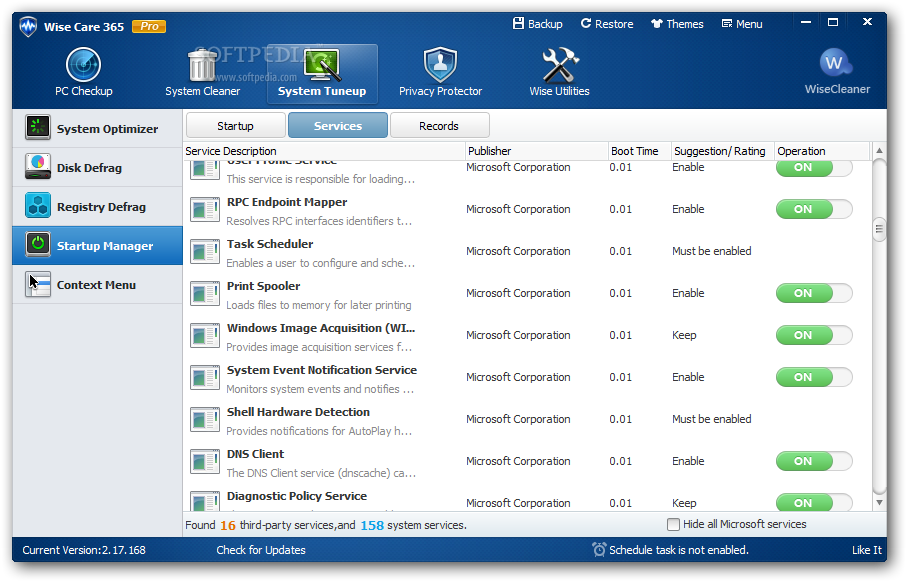
Wise Care 365 pro

프로모션.
http://dsgme.com/dsg/wisecare.zip


Wise Care 365 now can promise a dead easy use, a blazing fast speed, and an overall health care for your PC, for it adopted new advanced algorithms. As a tuneup utility, Wise Care 365 is comprehensive and full-featured, practical and economical. It will keep your PC in tiptop shape and at peak performance! Wise Care 365 is consisted of five parts, PC Checkup, System Tuneup, Privacy Protector and Wise Utilities. PC Checkup, a newly added feature, checks the whole running condition of your PC, marks its health status with 10 as the full score, and then shows you quick-fix solutions.

System Cleaner cleans invalid registry entries, useless files, download history, browsing history, form history, invalid shortcuts, traces, cache, cookies, passwords, Windows components, files with specific extensions, etc. and slims down your system. System Tuneup optimizes system, defragments disk and registry, and manages startup and services. Privacy Protector erases your browsing history (such as viewed pictures, watched movies/videos, accessed files and visited pages), prevents files or data from being recovered by recovery software, and generates various passwords for you.

Note by @BoraMurdar 

Direct link to download
http://dsgme.com/dsg/wisecare.zip

it's preactivated version

Special Note : Free Upgrade For 6 Months, No Tech Support, Strictly for Personal use.
 

10/20/2014

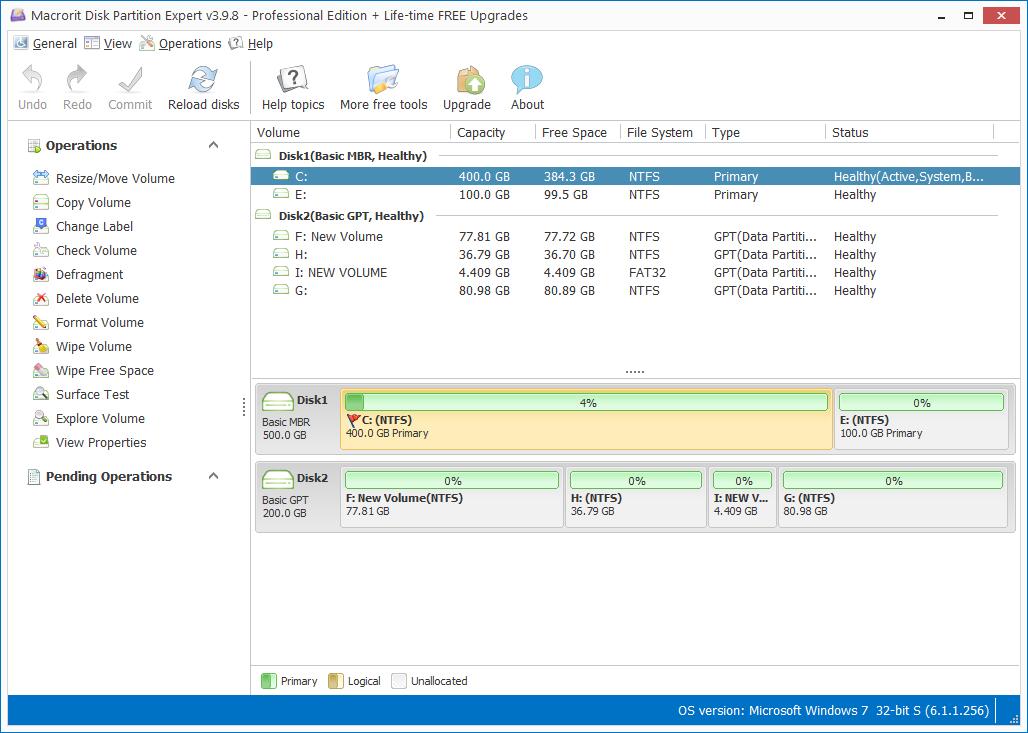
Macrorit Disk Partition Expert Pro

프로모션.
http://dsgme.com/dsg/macroritdisk.zip


Activation Key: A891B59EFC59EB72C47FA29FE244F7290858E762BB


Notes:
The activation code must be activated before the expiry date, otherwise invalid.
Pro version does not provide life-time free upgrade services.

License Policy:
Macrorit Disk Partition Pro Edition V3.x is licensed per computer.
Each license allows installation on 1 computer.
Transfer of a license to another owned computer is not allowed.
Free email support is provided for the lifetime of the product.

Valid before Oct,20, 2014.
About:
Macrorit Disk Partition Expert Pro it provides powerful features that enable users to extend system partition, resize move partitions, create, format, delete partition, besides these, it also possesses the unique data protection technology and best data moving algorithm, which means it guarantee the 100% data safety and the fastest data partition moving speed.

10/17/2014

Advanced SystemCare Ultimate 7

프로모션
http://www.iobit.com/advanced-systemcare-antivirus.php#none
코드
7FAC5-4AB1D-FFC7F-5CFD6


- License term - 6 months (up to 04/14/2015). 
- This is a license for 1 user for home use. 
- You get free upgrades during the license period. 
- No free technical support. 
- The program can be installed and reinstalled with repeated registration. 


Activate the Pro-version using the license code for 6 months (until 14 April 2015):

10/15/2014

KB3000061 긴급 업데이트 권고 안내

Microsoft 보안 공지 MS14-058 - 긴급

이 항목은 아직 평가되지 않았습니다.이 항목 평가

커널 모드 드라이버의 취약점으로 인한 원격 코드 실행 문제점(3000061)

게시된 날짜: 2014년 10월 15일
버전: 1.0

일반 정보

요약

이 보안 업데이트는 Microsoft Windows에서 발견되어 비공개적으로 보고된 취약점 2건을 해결합니다. 공격자가 사용자에게 특수하게 조작된 문서를 열도록 유도하거나 포함된 TrueType 글꼴을 포함하는 신뢰할 수 없는 웹 사이트를 방문하도록 유도할 경우 가장 심각한 취약점은 원격 코드 실행을 허용할 수 있습니다. 그러나 어떠한 경우에도 공격자는 강제로 사용자가 이러한 작업을 수행하도록 만들 수 없습니다. 대신 공격자는 사용자가 전자 메일 메시지 또는 메신저 메시지의 링크를 클릭하여 공격자가 파일을 열도록 유도합니다.
이 보안 업데이트의 심각도는 지원 대상인 모든 Microsoft Windows 릴리스에 대해 긴급입니다. 자세한 내용은 영향을 받는 소프트웨어섹션을 참조하십시오.
이 보안 업데이트는 Windows 커널 모드 드라이버가 메모리에서 개체를 처리하는 방식과 TrueType 글꼴을 처리하는 방식을 수정하여 취약점을 해결합니다. 취약점에 대한 자세한 내용은 이 공지 뒷부분에 있는 특정 취약점에 대한 자주 제기되는 질문 사항(FAQ)을 참조하십시오.
권장 사항. 대부분의 고객은 자동 업데이트를 사용하고 있기 때문에 따로 조치를 취할 필요가 없습니다. 이 보안 업데이트가 자동으로 다운로드되고 설치됩니다. 자동 업데이트의 특정 구성 옵션에 대한 자세한 내용은 Microsoft 기술 자료 문서 294871을 참조하십시오. 자동 업데이트를 사용하고 있지 않은 고객은 자동 업데이트 설정 또는 해제의 단계를 사용하여 자동 업데이트를 사용할 수 있습니다.
관리자 및 엔터프라이즈 설치의 경우 또는 이 보안 업데이트를 수동으로 설치하려는 최종 사용자의 경우(자동 업데이트를 사용하고 있지 않은 고객 포함) 고객이 업데이트 관리 소프트웨어를 이용하거나 Microsoft 업데이트 서비스를 통해 업데이트를 확인하여 즉시 업데이트를 적용하는 것이 좋습니다. 이 공지 뒷부분에 나오는 영향을 받는 소프트웨어 표에 있는 다운로드 링크를 통해서도 업데이트할 수 있습니다.
자세한 지침은 이 공지의 검색, 배포 도구 및 지침 섹션을 참조하십시오.

기술 자료 문서

  • 기술 자료 문서3000061
  • 파일 정보: 예
  • SHA1/SHA2 해시: 예
  • 알려진 문제점: 없음

영향을 받는 소프트웨어 버전 또는 에디션은 다음과 같습니다. 나열되지 않은 버전 또는 에디션은 지원 기간이 끝났거나 영향을 받지 않습니다. 사용 중인 소프트웨어 버전에 대한 지원 기간을 확인하려면 Microsoft 지원 기간 정책 웹 사이트를 참조하십시오.
영향을 받는 소프트웨어 
운영 체제
최대 보안 영향
전체 심각도
대체된 업데이트
Windows Server 2003
원격 코드 실행
긴급
MS14-015의 2930275
원격 코드 실행
긴급
MS14-015의 2930275
원격 코드 실행
긴급
MS14-015의 2930275
Windows Vista
원격 코드 실행
긴급
MS14-015의 2930275
원격 코드 실행
긴급
MS14-015의 2930275
Windows Server 2008
원격 코드 실행
긴급
MS14-015의 2930275
원격 코드 실행
긴급
MS14-015의 2930275
원격 코드 실행
긴급
MS14-015의 2930275
Windows 7
원격 코드 실행
긴급
MS14-015의 2930275
원격 코드 실행
긴급
MS14-015의 2930275
Windows Server 2008 R2
원격 코드 실행
긴급
MS14-015의 2930275
원격 코드 실행
긴급
MS14-015의 2930275
Windows 8 및 Windows 8.1
원격 코드 실행
긴급
MS14-015의 2930275
원격 코드 실행
긴급
MS14-015의 2930275
원격 코드 실행
긴급
MS14-015의 2930275
원격 코드 실행
긴급
MS14-015의 2930275
Windows Server 2012 및 Windows Server 2012 R2
원격 코드 실행
긴급
MS14-015의 2930275
원격 코드 실행
긴급
MS14-015의 2930275
Windows RT 및 Windows RT 8.1
Windows RT[1]
(3000061)
원격 코드 실행
긴급
MS14-015의 2930275
Windows RT 8.1[1]
(3000061)
원격 코드 실행
긴급
MS14-015의 2930275
Server Core 설치 옵션
원격 코드 실행
긴급
MS14-015의 2930275
원격 코드 실행
긴급
MS14-015의 2930275
원격 코드 실행
긴급
MS14-015의 2930275
Windows Server 2012(Server Core 설치)
(3000061)
원격 코드 실행
긴급
MS14-015의 2930275
Windows Server 2012 R2(Server Core 설치)
(3000061)
원격 코드 실행
긴급
MS14-015의 2930275
[1]이 업데이트는 Windows Update를 통해 제공됩니다.

Windows 8.1, Windows Server 2012 R2 또는 Windows RT 8.1을 실행하고 있습니다. 3000061 업데이트가 제공되지 않는 이유는 무엇입니까? Windows 8.1, Windows Server 2012 R2 또는 Windows RT 8.1에서 보안 업데이트를 제공 받으려면 2919355 업데이트가 시스템에 설치되어 있어야 합니다.  자세한 내용은Microsoft 기술 자료 문서 2919355를 참조하십시오.
이 보안 공지에서 설명하는 소프트웨어의 이전 버전을 사용하고 있습니다. 어떻게 해야 합니까?
이 공지에 나열된 영향을 받는 소프트웨어는 테스트를 거쳐 해당 릴리스가 영향을 받는지 확인되었습니다. 다른 버전은 지원 기간이 끝났습니다. 제품 지원 기간에 대한 자세한 내용은 Microsoft 지원 기간 정책 웹 사이트를 참조하십시오.
이전 버전의 소프트웨어를 사용 중인 고객은 이후의 취약점에 노출되지 않도록 지원되는 버전으로 마이그레이션을 우선적으로 고려하십시오. 사용 중인 소프트웨어 버전에 대한 지원 기간을 확인하려면 지원 기간 제품 선택을 참조하십시오. 이러한 소프트웨어 버전의 서비스 팩에 대한 자세한 내용은 서비스 팩 지원 기간 정책을 참조하십시오.
이전 버전의 소프트웨어에 대한 사용자 지정 지원이 필요한 고객은 자신의 Microsoft 계정 관리 팀 담당자나 TAM(기술 계정 관리자) 또는 해당 Microsoft 파트너 담당자에게 사용자 지정 지원 옵션에 대해 문의하십시오. Alliance, Premier 또는 Authorized Contract가 없는 고객은 해당 지역의 Microsoft 판매처에 문의하십시오. 연락처 정보는Microsoft 정보 웹 사이트를 선택한 다음, 국가를 선택하여 전화 번호 목록을 참조하십시오. 전화를 할 경우에는 해당 지역의 프리미어 지원 영업 담당자와 상담을 요청하십시오. 자세한 내용은 Microsoft 지원 기간 정책 FAQ를 참조하십시오.

다음의 심각도는 취약점의 잠재적인 최대 영향을 가정합니다. 이 보안 공지 발표 후 30일 이내의 심각도 및 보안 영향과 관련된 취약점 악용 가능성에 대해서는 10월 공지 요약의 악용 가능성 인덱스를 참조하십시오. 자세한 내용은 Microsoft 악용 가능성 인덱스를 참조하십시오.
영향을 받는 소프트웨어별 취약점 심각도 및 최대 심각도 영향
영향을 받는 소프트웨어
Win32k.sys 권한 상승 취약점(CVE-2014-4113)
TrueType 글꼴 구문 분석 원격 코드 실행 취약점(CVE-2014-4148)
전체 심각도
Windows Server 2003
Windows Server 2003 서비스 팩 2
(3000061)
중요
권한 상승
긴급
원격 코드 실행
긴급
Windows Server 2003 x64 Edition 서비스 팩 2
(3000061)
중요
권한 상승
긴급
원격 코드 실행
긴급
Windows Server 2003 SP2(Itanium 기반 시스템용)
(3000061)
중요
권한 상승
긴급
원격 코드 실행
긴급
Windows Vista
Windows Vista 서비스 팩 2
(3000061)
중요
권한 상승
긴급
원격 코드 실행
긴급
Windows Vista x64 Edition 서비스 팩 2
(3000061)
중요
권한 상승
긴급
원격 코드 실행
긴급
Windows Server 2008
Windows Server 2008(32비트 시스템용) 서비스 팩 2
(3000061)
중요
권한 상승
긴급
원격 코드 실행
긴급
Windows Server 2008(x64 기반 시스템용) 서비스 팩 2
(3000061)
중요
권한 상승
긴급
원격 코드 실행
긴급
Windows Server 2008(Itanium 기반 시스템용) 서비스 팩 2
(3000061)
중요
권한 상승
긴급
원격 코드 실행
긴급
Windows 7
Windows 7(32비트 시스템용) 서비스 팩 1
(3000061)
중요
권한 상승
긴급
원격 코드 실행
긴급
Windows 7(x64 기반 시스템용) 서비스 팩 1
(3000061)
중요
권한 상승
긴급
원격 코드 실행
긴급
Windows Server 2008 R2
Windows Server 2008 R2(x64 기반 시스템용) 서비스 팩 1
(3000061)
중요
권한 상승
긴급
원격 코드 실행
긴급
Windows Server 2008 R2(Itanium 기반 시스템용) 서비스 팩 1
(3000061)
중요
권한 상승
긴급
원격 코드 실행
긴급
Windows 8 및 Windows 8.1
Windows 8(32비트 시스템용)
(3000061)
중요
권한 상승
긴급
원격 코드 실행
긴급
Windows 8(x64 기반 시스템용)
(3000061)
중요
권한 상승
긴급
원격 코드 실행
긴급
Windows 8.1(32비트 시스템용)
(3000061)
중요
권한 상승
긴급
원격 코드 실행
긴급
Windows 8.1(x64 기반 시스템용)
(3000061)
중요
권한 상승
긴급
원격 코드 실행
긴급
Windows Server 2012 및 Windows Server 2012 R2
Windows Server 2012
(3000061)
중요
권한 상승
긴급
원격 코드 실행
긴급
Windows Server 2012 R2
(3000061)
중요
권한 상승
긴급
원격 코드 실행
긴급
Windows RT 및 Windows RT 8.1
Windows RT
(3000061)
중요
권한 상승
긴급
원격 코드 실행
긴급
Windows RT 8.1
(3000061)
중요
권한 상승
긴급
원격 코드 실행
긴급
Server Core 설치 옵션
Windows Server 2008(32비트 시스템용) 서비스 팩 2(Server Core 설치)
(3000061)
중요
권한 상승
긴급
원격 코드 실행
긴급
Windows Server 2008(x64 기반 시스템용) 서비스 팩 2(Server Core 설치)
(3000061)
중요
권한 상승
긴급
원격 코드 실행
긴급
Windows Server 2008 R2(x64 기반 시스템용) 서비스 팩 1(Server Core 설치)
(3000061)
중요
권한 상승
긴급
원격 코드 실행
긴급
Windows Server 2012(Server Core 설치)
(3000061)
중요
권한 상승
긴급
원격 코드 실행
긴급
Windows Server 2012 R2(Server Core 설치)
(3000061)
중요
권한 상승
긴급
원격 코드 실행
긴급

Windows 커널 모드 드라이버가 메모리에서 개체를 부적절하게 처리하는 경우 권한 상승 취약점이 존재합니다. 이 취약점 악용에 성공한 공격자는 커널 모드에서 임의 코드를 실행할 수 있습니다. 이렇게 되면 공격자가 프로그램을 설치할 수 있을 뿐 아니라 데이터를 보거나 변경하거나 삭제할 수 있고 전체 관리자 권한이 있는 새 계정을 만들 수도 있습니다.
이 취약점을 CVE(Common Vulnerabilities and Exposures) 목록의 표준 항목으로 보려면 CVE-2014-4113(영문)을 참조하십시오.

완화 요소

완화란 취약점의 악용 심각도를 낮출 수 있는 설정, 일반적인 구성 또는 최선책, 기본 상태를 지칭합니다. 다음과 같은 완화 요소가 현재 상황에서 유용할 수 있습니다.
  • 이 취약점을 악용하려면 공격자가 유효한 로그온 자격 증명을 가지고 로컬로 로그온할 수 있어야 합니다.

대안

이 취약점에 대한 대안을 확인하지 못했습니다.

FAQ

이 취약점을 악용하면 어느 작업까지 가능합니까?
이 취약점은 권한 상승 취약점입니다.
취약점의 원인은 무엇입니까?
이 취약점은 Windows 커널 모드 드라이버(win32k.sys)가 메모리에서 개체를 부적절하게 처리할 때 발생합니다.
Windows 커널 모드 드라이버(win32k.sys)란 무엇입니까? Win32k.sys는 커널 모드 장치 드라이버이자 Windows 하위 시스템의 커널 부분으로, 창 표시를 제어하고 화면 출력을 관리하며 키보드, 마우스 및 기타 장치에서 입력을 수집하고 사용자 메시지를 응용 프로그램에 전달하는 등의 작업을 수행하는 창 관리자를 포함하고 있습니다. 그래픽 출력 장치용 함수 라이브러리인 GDI(그래픽 장치 인터페이스)도 포함하고 있습니다. 마지막으로 다른 드라이버(dxgkrnl.sys)에서 구현되는 DirectX 지원에 대한 래퍼 역할을 합니다.
NULL 페이지 매핑이란 무엇입니까?  "NULL 페이지"는 주소가 0x00000000로 시작하는 시스템 메모리의 영역을 말합니다. NULL 페이지는 일반적으로 할당 또는 매핑되기 때문에 커널이 NULL 포인터를 역참조할 경우 일반적인 결과는 블루 스크린 상태입니다. 그러나, 블루 스크린 상태는 NULL 페이지가 매핑될 경우 피할 수 있으며, NULL 페이지가 사용자 모드 메모리 주소 공간에 상주하기 때문에 공격자는 현재 사용자 대신 실행 흐름을 제어하기 위해 메모리를 할당할 수 있습니다. NULL 페이지 매핑이 비활성화된 경우 이 공격 경로는 실행이 어렵습니다. 이 상태는 Windows 8 및 최신 운영 체제에서 기본값입니다.
공격자는 취약점을 악용하여 무엇을 할 수 있습니까?
이 취약점을 성공적으로 악용한 경우 공격자는 영향을 받는 시스템을 완전히 제어할 수 있습니다. 이렇게 되면 공격자가 프로그램을 설치할 수 있을 뿐 아니라 데이터를 보거나 변경하거나 삭제할 수 있고 모든 사용자 권한이 있는 새 계정을 만들 수도 있습니다.
공격자는 이러한 취약점을 어떻게 악용합니까?
공격자는 영향을 받는 시스템에서 특수하게 조작된 응용 프로그램을 실행하여 이 취약점을 악용할 수 있습니다. 이는 유효한 로그온 자격 증명을 획득하고 시스템에 로그인하거나 로그온한 인증 사용자가 공격자 대신 응용 프로그램을 실행하도록 유도함으로써 이루어질 수 있습니다.
취약점으로 인해 주로 공격 받을 위험이 있는 시스템은 무엇입니까?
워크스테이션과 터미널 서버가 주로 위험합니다. 관리자가 사용자가 서버에 로그온하여 프로그램을 실행할 수 있도록 허용할 경우, 서버가 더 위험할 수 있습니다. 가장 좋은 방법은 이러한 기능을 허용하지 않는 것입니다. 지원 대상인 모든 Microsoft Windows 릴리스가 이 취약점의 영향을 받지 않지만, Windows 8 및 Windows 8.1의 32비트 및 64비트 에디션은 이러한 운영 체제에 내장된 완화를 통해 현재 알려진 악용에 덜 노출됩니다.
업데이트는 어떤 기능을 수행합니까?
이 업데이트는 Windows 커널 모드의 드라이버가 메모리에서 개체를 처리하는 방식을 수정하여 이 취약점을 해결합니다.
이 보안 공지를 게시했을 때 이 취약점이 공개되어 있었습니까?
아니요. Microsoft는 조정된 취약점 공개를 통해 이 취약점 관련 정보를 입수하였습니다.
이 보안 공지를 게시했을 때 Microsoft는 이 취약점이 악용되었다는 보고를 받았습니까?
예. Microsoft는 이 취약점을 악용하려는 제한적인 공격에 대한 보고를 받았습니다.

Windows 커널 모드 드라이버가 TrueType 글꼴을 잘못 처리하는 경우 원격 코드 실행 취약점이 발생할 수 있습니다. 이 취약점 악용에 성공한 공격자는 커널 모드에서 임의 코드를 실행할 수 있습니다. 이렇게 되면 공격자가 프로그램을 설치할 수 있을 뿐 아니라 데이터를 보거나 변경하거나 삭제할 수 있고 전체 관리자 권한이 있는 새 계정을 만들 수도 있습니다.
이 취약점을 CVE(Common Vulnerabilities and Exposures) 목록의 표준 항목으로 보려면 CVE-2014-4148(영문)을 참조하십시오.

완화 요소

완화란 취약점의 악용 심각도를 낮출 수 있는 설정, 일반적인 구성 또는 최선책, 기본 상태를 지칭합니다. 다음과 같은 완화 요소가 현재 상황에서 유용할 수 있습니다.
  • 공격이 성공하려면 사용자는 특수하게 조작된 TrueType 글꼴 파일을 포함하는 신뢰할 수 없는 웹 사이트를 방문하거나 전자 메일 첨부 파일로 파일을 열어야 합니다. 그러나 어떠한 경우에도 공격자는 강제로 사용자가 이러한 작업을 수행하도록 만들 수 없습니다. 대신 공격자는 사용자가 전자 메일 메시지 또는 메신저 메시지의 링크를 클릭하여 공격자가 파일을 열도록 유도합니다.

대안

대안이란 기본적인 취약점을 수정하지는 않지만 업데이트를 적용하기 전에 알려진 공격 경로를 차단하는 데 유용한 설정 또는 구성 변경을 지칭합니다. Microsoft는 다음과 같은 대안을 테스트했으며, 대안으로 인한 기능 저하 여부를 해당 항목에서 설명합니다.
  • T2EMBED.DLL 액세스 거부
    Windows Server 2003:
    • 32비트 시스템의 경우 관리 명령 프롬프트에서 다음 명령을 입력합니다.
      Echo y| cacls "%windir%\system32\t2embed.dll" /E /P everyone:N
      
    • 64비트 시스템의 경우 관리 명령 프롬프트에서 다음 명령을 입력합니다.
      Echo y| cacls "%windir%\system32\t2embed.dll" /E /P everyone:N
      Echo y| cacls "%windir%\syswow64\t2embed.dll" /E /P everyone:N
      
    Windows Vista, Windows 7, Windows Server 2008, Windows Server 2008 R2, Windows 8, Windows 8.1, Windows Server 2012 및 Windows Server 2012 R2:
    • 32비트 시스템의 경우 관리 명령 프롬프트에서 다음 명령을 입력합니다.
      Takeown.exe /f "%windir%\system32\t2embed.dll"
      Icacls.exe "%windir%\system32\t2embed.dll" /deny everyone:(F)
      
    • 64비트 시스템의 경우 관리 명령 프롬프트에서 다음 명령을 입력합니다.
      Takeown.exe /f "%windir%\system32\t2embed.dll"
      Icacls.exe "%windir%\system32\t2embed.dll" /deny everyone:(F)
      Takeown.exe /f "%windir%\syswow64\t2embed.dll"
      Icacls.exe "%windir%\syswow64\t2embed.dll" /deny everyone:(F)
      
    대안의 영향. 포함 글꼴 기술을 사용하는 응용 프로그램이 제대로 표시되지 않습니다.
    대안 실행 취소 방법.
    Windows Server 2003:
    • 32비트 시스템의 경우 관리 명령 프롬프트에서 다음 명령을 입력합니다.
      cacls "%windir%\system32\t2embed.dll" /E /R everyone
      
    • 64비트 시스템의 경우 관리 명령 프롬프트에서 다음 명령을 입력합니다.
      cacls "%windir%\system32\t2embed.dll" /E /R everyone
      cacls "%windir%\syswow64\t2embed.dll" /E /R everyone
      
    Windows Vista, Windows 7, Windows Server 2008, Windows Server 2008 R2, Windows 8, Windows 8.1, Windows Server 2012 및 Windows Server 2012 R2:
    • 32비트 시스템의 경우 관리 명령 프롬프트에서 다음 명령을 입력합니다.
      Icacls.exe %WINDIR%\system32\t2embed.DLL /remove:d  everyone
      
    • 64비트 시스템의 경우 관리 명령 프롬프트에서 다음 명령을 입력합니다.
      Icacls.exe %WINDIR%\system32\t2embed.DLL /remove:d  everyone
      Icacls.exe %WINDIR%\syswow64\t2embed.DLL /remove:d  everyone
      

FAQ

이 취약점을 악용하면 어느 작업까지 가능합니까?
이 취약점은 원격 코드 실행 취약점입니다.
취약점의 원인은 무엇입니까?
이 취약점은 Windows 커널 모드 드라이버가 TrueType 글꼴을 제대로 처리하지 못할 때 발생합니다.
Windows 커널 모드 드라이버(win32k.sys)란 무엇입니까? Win32k.sys는 커널 모드 장치 드라이버이자 Windows 하위 시스템의 커널 부분으로, 창 표시를 제어하고 화면 출력을 관리하며 키보드, 마우스 및 기타 장치에서 입력을 수집하고 사용자 메시지를 응용 프로그램에 전달하는 등의 작업을 수행하는 창 관리자를 포함하고 있습니다. 그래픽 출력 장치용 함수 라이브러리인 GDI(그래픽 장치 인터페이스)도 포함하고 있습니다. 마지막으로 다른 드라이버(dxgkrnl.sys)에서 구현되는 DirectX 지원에 대한 래퍼 역할을 합니다.
공격자는 취약점을 악용하여 무엇을 할 수 있습니까?
이 취약점을 성공적으로 악용한 경우 공격자는 영향을 받는 시스템을 완전히 제어할 수 있습니다. 이렇게 되면 공격자가 프로그램을 설치할 수 있을 뿐 아니라 데이터를 보거나 변경하거나 삭제할 수 있고 모든 사용자 권한이 있는 새 계정을 만들 수도 있습니다.
공격자는 이러한 취약점을 어떻게 악용합니까?
사용자가 특수하게 조작된 문서를 열도록 유도하거나 TrueType 글꼴이 포함된 신뢰할 수 없는 웹 페이지를 방문하도록 유도하는 등 공격자가 이 취약점을 악용할 수 있는 여러 방법이 있습니다. 특수하게 조작된 TrueType 글꼴은 이 취약점을 악용할 수 있습니다.
취약점으로 인해 주로 공격 받을 위험이 있는 시스템은 무엇입니까?
워크스테이션과 터미널 서버가 주로 위험합니다. 관리자가 사용자가 서버에 로그온하여 프로그램을 실행할 수 있도록 허용할 경우, 서버가 더 위험할 수 있습니다. 가장 좋은 방법은 이러한 기능을 허용하지 않는 것입니다.
업데이트는 어떤 기능을 수행합니까?
이 업데이트는 Windows 커널 모드의 드라이버가 TrueType 글꼴을 처리하는 방식을 수정하여 이 취약점을 해결합니다.
이 보안 공지를 게시했을 때 이 취약점이 공개되어 있었습니까?
아니요. Microsoft는 조정된 취약점 공개를 통해 이 취약점 관련 정보를 입수하였습니다.
이 보안 공지를 게시했을 때 Microsoft는 이 취약점이 악용되었다는 보고를 받았습니까?
예. Microsoft는 이 취약점을 악용하려는 제한적인 공격에 대한 보고를 받았습니다.

관리자가 보안 업데이트를 배포하는 데 도움이 되는 다양한 리소스가 존재합니다. 
  • 관리자는 MBSA(Microsoft Baseline Security Analyzer)를 사용하여 로컬 및 원격 시스템에서 누락된 보안 업데이트 및 일반적인 보안 구성 오류를 검색할 수 있습니다. 
  • WSUS(Windows Server Update Services), SMS(Systems Management Server), System Center Configuration Manager는 관리자가 보안 업데이트를 배포하는 데 도움이 됩니다. 
  • ACT(Application Compatibility Toolkit)에 포함되어 있는 UCE(Update Compatibility Evaluator) 구성 요소를 사용하면 설치된 응용 프로그램에 대한 Windows 업데이트 테스트 및 유효성 검사가 간소화됩니다. 
여기에 나온 도구 및 사용 가능한 기타 도구에 대한 자세한 내용은 보안 도구를 참조하십시오. 

Windows Server 2003(모든 버전)

참조 표
다음 표에는 이 소프트웨어에 대한 보안 업데이트 정보가 포함되어 있습니다.
보안 업데이트 파일 이름
지원 대상인 모든 Windows Server 2003 32비트 에디션:
WindowsServer2003-KB3000061-86-ENU.exe

지원 대상인 모든 Windows Server 2003 x64 기반 에디션:
WindowsServer2003-KB3000061-x64-ENU.exe

지원 대상인 모든 Windows Server 2003 Itanium 기반 에디션:
WindowsServer2003-KB3000061-ia64-ENU.exe
설치 스위치
로그 파일 업데이트
KB3000061.log
다시 시작 요구 사항
예, 이 보안 업데이트를 적용한 후에는 컴퓨터를 다시 시작해야 합니다.
제거 정보
제어판의 프로그램 추가/제거 항목 또는 %Windir%\$NTUninstallKB3000061$\Spuninst 폴더의 Spuninst.exe 유틸리티를 사용하십시오.
파일 정보
레지스트리 키 확인
HKEY_LOCAL_MACHINE\SOFTWARE\Microsoft\Updates\Windows Server 2003\SP3\KB3000061\Filelist

Windows Vista(모든 버전)

참조 표
다음 표에는 이 소프트웨어에 대한 보안 업데이트 정보가 포함되어 있습니다.
보안 업데이트 파일 이름
지원 대상인 모든 Windows Vista 32비트 에디션:
Windows6.0-KB3000061-x86.msu

지원 대상인 모든 Windows Vista x64 에디션:
Windows6.0-KB3000061-x64.msu
설치 스위치
다시 시작 요구 사항
예, 이 보안 업데이트를 적용한 후에는 컴퓨터를 다시 시작해야 합니다.
제거 정보
WUSA.exe는 업데이트 제거를 지원하지 않습니다. WUSA에서 설치한 업데이트를 설치 제거하려면 제어판보안을 차례로 클릭하십시오. Windows 업데이트에서 설치된 업데이트 보기를 클릭하고 업데이트 목록에서 선택합니다.
파일 정보
레지스트리 키 확인
참고: 이 업데이트가 있는지 확인하는 레지스트리 키는 없습니다.

Windows Server 2008(모든 에디션)

참조 표
다음 표에는 이 소프트웨어에 대한 보안 업데이트 정보가 포함되어 있습니다.
보안 업데이트 파일 이름
지원 대상인 모든 Windows Server 2008 32비트 에디션:
Windows6.0-KB3000061-x86.msu

지원 대상인 모든 Windows Server 2008 x64 기반 에디션:
Windows6.0-KB3000061-x64.msu

지원 대상인 모든 Windows Server 2008 Itanium 기반 에디션:
Windows6.0-KB3000061-ia64.msu
설치 스위치
다시 시작 요구 사항
예, 이 보안 업데이트를 적용한 후에는 컴퓨터를 다시 시작해야 합니다.
제거 정보
WUSA.exe는 업데이트 제거를 지원하지 않습니다. WUSA에서 설치한 업데이트를 설치 제거하려면 제어판보안을 차례로 클릭하십시오. Windows 업데이트에서 설치된 업데이트 보기를 클릭하고 업데이트 목록에서 선택합니다.
파일 정보
레지스트리 키 확인
참고: 이 업데이트가 있는지 확인하는 레지스트리 키는 없습니다.

Windows 7(모든 에디션)

참조 표
다음 표에는 이 소프트웨어에 대한 보안 업데이트 정보가 포함되어 있습니다.
보안 업데이트 파일 이름
지원 대상인 모든 Windows 7 32비트 에디션:
Windows6.1-KB3000061-x86.msu

지원 대상인 모든 Windows 7 x64 기반 에디션:
Windows6.1-KB3000061-x64.msu
설치 스위치
다시 시작 요구 사항
예, 이 보안 업데이트를 적용한 후에는 컴퓨터를 다시 시작해야 합니다.
제거 정보
WUSA에서 설치한 업데이트를 설치 제거하려면 /Uninstall 설치 스위치를 사용하거나 제어판시스템 및 보안을 차례로 클릭한 후 Windows 업데이트에서 설치된 업데이트 보기를 클릭하고 업데이트 목록에서 선택합니다.
파일 정보
레지스트리 키 확인
참고: 이 업데이트가 있는지 확인하는 레지스트리 키는 없습니다.

Windows Server 2008 R2(모든 에디션)

참조 표
다음 표에는 이 소프트웨어에 대한 보안 업데이트 정보가 포함되어 있습니다.
보안 업데이트 파일 이름
지원 대상인 모든 Windows Server 2008 R2 x64 기반 에디션:
Windows6.1-KB3000061-x64.msu

지원 대상인 모든 Windows Server 2008 R2 Itanium 기반 에디션:
Windows6.1-KB3000061-ia64.msu
설치 스위치
다시 시작 요구 사항
예, 이 보안 업데이트를 적용한 후에는 컴퓨터를 다시 시작해야 합니다.
제거 정보
WUSA에서 설치한 업데이트를 설치 제거하려면 /Uninstall 설치 스위치를 사용하거나 제어판시스템 및 보안을 차례로 클릭한 후 Windows 업데이트에서 설치된 업데이트 보기를 클릭하고 업데이트 목록에서 선택합니다.
파일 정보
레지스트리 키 확인
참고: 이 업데이트가 있는지 확인하는 레지스트리 키는 없습니다.

Windows 8 및 Windows 8.1(모든 에디션)

참조 표
다음 표에는 이 소프트웨어에 대한 보안 업데이트 정보가 포함되어 있습니다.
보안 업데이트 파일 이름
지원 대상인 모든 Windows 8 32비트 에디션:
Windows8-RT-KB3000061-x86.msu

지원 대상인 모든 Windows 8 x64 기반 에디션:
Windows8-RT-KB3000061-x64.msu

지원 대상인 모든 Windows 8.1 32비트 에디션:
Windows8.1-KB3000061-x86.msu

지원 대상인 모든 Windows 8.1 x64 기반 에디션:
Windows8.1-KB3000061-x64.msu
설치 스위치
다시 시작 요구 사항
예, 이 보안 업데이트를 적용한 후에는 컴퓨터를 다시 시작해야 합니다.
제거 정보
WUSA에서 설치한 업데이트를 설치 제거하려면 /Uninstall 설치 스위치를 사용하거나 제어판시스템 및 보안Windows 업데이트를 차례로 클릭한 후 참고 항목 아래의 설치된 업데이트를 클릭하고 업데이트 목록에서 선택합니다.
파일 정보
레지스트리 키 확인
참고: 이 업데이트가 있는지 확인하는 레지스트리 키는 없습니다.

Windows Server 2012 및 Windows Server 2012 R2(모든 에디션)

참조 표
다음 표에는 이 소프트웨어에 대한 보안 업데이트 정보가 포함되어 있습니다.
보안 업데이트 파일 이름
지원 대상인 모든 Windows Server 2012 에디션:
Windows8-RT-KB3000061-x64.msu

지원 대상인 모든 Windows Server 2012 R2 에디션:
Windows8.1-KB3000061-x64.msu
설치 스위치
다시 시작 요구 사항
예, 이 보안 업데이트를 적용한 후에는 컴퓨터를 다시 시작해야 합니다.
제거 정보
WUSA에서 설치한 업데이트를 설치 제거하려면 /Uninstall 설치 스위치를 사용하거나 제어판시스템 및 보안Windows 업데이트를 차례로 클릭한 후 참고 항목 아래의 설치된 업데이트를 클릭하고 업데이트 목록에서 선택합니다.
파일 정보
레지스트리 키 확인
참고: 이 업데이트가 있는지 확인하는 레지스트리 키는 없습니다.

Windows RT 및 Windows RT 8.1(모든 에디션)

참조 표
다음 표에는 이 소프트웨어에 대한 보안 업데이트 정보가 포함되어 있습니다.
배포
이러한 업데이트는 Windows Update를 통해서만 제공됩니다.
다시 시작 요구 사항
예, 이 보안 업데이트를 적용한 후에는 컴퓨터를 다시 시작해야 합니다.
제거 정보
제어판시스템 및 보안Windows Update를 차례로 클릭한 후 참고 항목 아래의 설치된 업데이트를 클릭하고 업데이트 목록에서 선택합니다.
파일 정보

고객 보호를 위해 협력해 주신 다음 분들께 감사드립니다.
  • Win32k.sys 권한 상승 취약점(CVE-2014-4113)에 대해 Microsoft와 협력해 주신 CrowdStrike Intelligence Team (영문)
  • Win32k.sys 권한 상승 취약점(CVE-2014-4113)에 대해 Microsoft와 협력해 주신 FireEye, Inc.(영문)
  • TrueType 글꼴 구문 분석 원격 코드 실행 취약점(CVE-2014-4148)에 대해 Microsoft와 협력해 주신 FireEye, Inc.(영문)

MAPP(Microsoft Active Protections Program)

고객에 대한 보안을 강화하기 위해 Microsoft는 월별 보안 업데이트를 배포하기 전에 주요 보안 소프트웨어 제공업체에 취약점 정보를 제공합니다. 보안 소프트웨어 제공업체는 이 취약점 정보를 사용하여 안티바이러스, 네트워크 기반 침입 탐지 시스템 또는 호스트 기반 침임 방지 시스템 등 자사의 보안 소프트웨어나 장치를 통해 업데이트된 보호 기능을 고객에게 제공할 수 있습니다. 보안 소프트웨어 제공업체가 활성 보호 기능을 제공하는지 확인하려면 Microsoft MAPP(Active Protections Program) 파트너(영문)에 나열된 프로그램 파트너가 제공하는 활성 보호 기능 웹 사이트를 참조하십시오.

지원

이 보안 업데이트에 대한 도움말 및 지원을 얻는 방법

부인

Microsoft 기술 자료에서 제공되는 정보는 어떠한 보증도 없이 "있는 그대로" 제공됩니다. Microsoft는 상품성 및 특정 목적에의 적합성에 대한 보증을 포함하여 명시적이거나 묵시적인 어떤 보증도 하지 않습니다. Microsoft Corporation 또는 그 공급자는 모든 직접적, 간접적, 부수적, 파생적 손해 또는 영업 이익 손실 또는 특수한 손실에 대하여 어떠한 경우에도 책임을 지지 않으며, 이는 Microsoft Corporation과 그 공급자가 그와 같은 손해의 가능성을 사전에 알고 있던 경우에도 마찬가지입니다. 일부 지역에서는 파생적 또는 부수적 손해에 대한 책임의 배제 또는 제한을 허용하지 않으므로 위 제한은 귀하에게 적용되지 않을 수도 있습니다.

개정 내역

  • V1.0(2014년 10월 15일): 공지가 게시되었습니다.