프로모션.
http://download.adobe.com/pub/adobe/magic/creativesuite/CS2_EOL/ILST/AI_CS2_IE_NonRet.exe
Windows Serial number:
1034-1415-6230-2341-2884-9398Mac
Serial number:
1034-0416-0740-0527-2887-2375
For many years, Adobe Illustrator software has been the standard for creating
graphically rich content—first for print, then for motion graphics, then for the
Web, and now for mobile devices. Creative professionals around the world depend
on its innovative features and tight integration with other Adobe products. What
more, you might ask, can a new version of Adobe Illustrator possibly deliver?
The answer: quite a lot.
Here are just two examples of what’s brand new and remarkable in Adobe
Illustrator CS2. Live Trace, a breakthrough new tracing tool, enables you to
convert a scanned, hand-drawn sketch or photograph in seconds into a precise
illustration composed of editable paths and anchor points. And Live Paint, an
exciting new painting tool, allows you to apply color to strokes and fills easily
and intuitively. With these powerful new features, Illustrator CS2 has narrowed
the gap between the bitmap and the vector.
Adobe Illustrator CS2 is a powerful stand alone upgrade to Illustrator CS and
illustration component of Adobe Creative Suite 2 software, a powerful, unified
design environment that enables creative professionals to efficiently create and
produce superb content in close collaboration with others. Illustrator CS2 gains
from numerous Creative Suite-wide benefits, such as consistent color through
shared color profiles and exchangeable swatches, improved Adobe Portable Document
Format (PDF) creation and shared PDF settings, and enhanced file-version
management.
Our prediction? No matter how well you already know Adobe Illustrator, you’re
about to fall in love with it again. With Adobe Illustrator CS2, you will:
Know no limits
With Illustrator CS2, your tools never stand in the way of your ideas. Live
Trace and Live Paint equip you to focus on creating and producing great artwork.
Additional features include: support for placing Adobe Photoshop CS2 layer comps
and for applying Photoshop CS2 filters and effects; custom stroke placement; type
enhancements; and support for colorizing grayscale images.
Enjoy a smooth ride
Illustrator CS2 enables you to spend more time creating and less time
mastering new features. The context-sensitive Control palette makes it a snap to
find the tool you need for the task at hand. Still more additions—customizable
workspaces—enable your work to flow smoothly from beginning to end, including a
next-generation file browser called Adobe Bridge, and support for the latest
Wacom tablets.
Work well with others
Given today’s variety of media, no graphics application can afford to work all
alone. Although artwork sometimes stays in Adobe Illustrator from start to
finish, often it’s placed in other applications or saved in other formats.
Illustrator CS2 smooths these transitions by providing support, for
industry-standard PDF/X formats


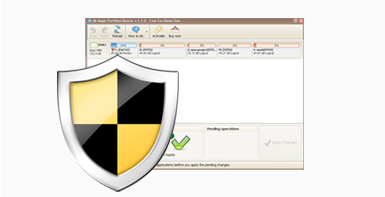 With unique safety power, this program will never hurt your data nor
partition and provides a 100% of safety for the whole repartitioning even when
your computer was shut down accidentally during the resizing.
With unique safety power, this program will never hurt your data nor
partition and provides a 100% of safety for the whole repartitioning even when
your computer was shut down accidentally during the resizing.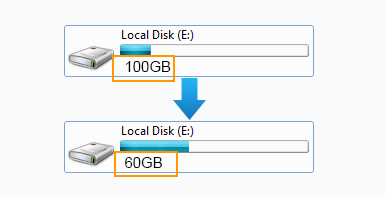
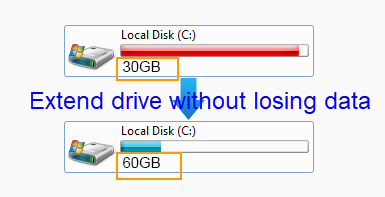
 When your disk partitions are either running out of space or with a lot free
space, you may use this freeware to re-arrange the fences for better computer
performance.
When your disk partitions are either running out of space or with a lot free
space, you may use this freeware to re-arrange the fences for better computer
performance.